
Keep your schedule in view
Add your medicines and the schedule you have been prescribed. Reminders help you keep track of when a dose is due, alongside your own record of what you have taken.
Medication management
Keep your medicine list, prescribed schedules, reminders and dose records in one place. Plan for travel and keep an eye on how much you have left.
Explore medication featuresIn development for iPhone and Android · Ages 18+
myHealthPal is not a doctor or physician, and does not offer medical advice.
Read medical disclaimer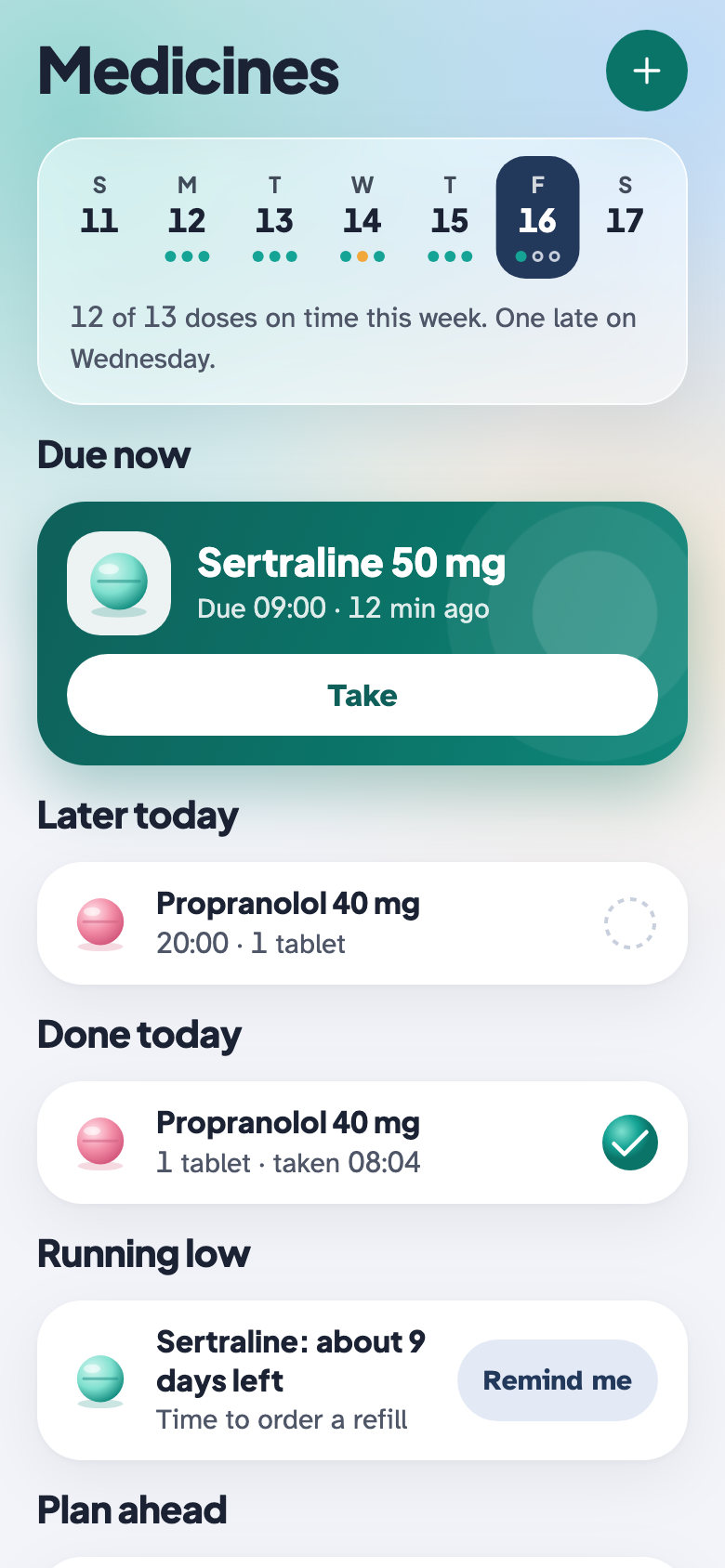
Medication management
Add your medicines and the schedule you have been prescribed. Reminders help you keep track of when a dose is due, alongside your own record of what you have taken.
When your phone detects a new time zone, reminders can automatically be displayed in the local time zone according to your travel settings. Choose to keep home time, move to local time or be asked each trip. Check these settings before travelling; a time-zone change is not advice to change your prescribed dosing schedule.
Enter how much of each medicine you have and set a low-stock reminder. Keep the quantity up to date when you refill or correct a record. Remaining-stock estimates and alerts depend on the quantities and doses you enter.
Keep medicines in view
The animation could not load. You can still explore the screen previews.
An illustrative example of your medicine schedule and dose records. The demo shows the app interface; it does not send a real reminder or record a real dose.
Bring your medicine list, schedules and reminders into one place. Keep track of what you recorded as taken or missed.
Like a calendar entry or an alarm, a reminder tells you a medicine is due. myHealthPal does not automatically log it as taken.
Receiving, opening or dismissing a reminder does not confirm that you took your medicine. The app cannot know whether you swallowed a tablet or used a treatment.
Mark a dose as taken with a simple button press. Your record reflects the action you confirm; it is not independent proof that a medicine was taken.
If you took it at a different time from the prescribed schedule, you can optionally enter the time you actually took it. This adds detail to your record; it does not recommend a new time or change your treatment plan.
An internet connection may be needed to set up, update or schedule time-sensitive reminders. Reconnect and check your reminder settings after changes or travel. Do not assume a new or changed reminder has been scheduled while you are offline.
Notification permissions, focus or do-not-disturb modes, battery settings and device availability can affect reminders. They are a helpful prompt, not a guarantee of delivery. Keep another way to remember medicines whose timing matters, and follow your prescriber’s instructions.
For recording and sharing information. Follow your prescriber’s treatment plan; myHealthPal does not recommend medicines, doses or dose changes.
Read medical disclaimer